There is a pattern we have noticed across our clients' operations.
A payin arrives. Someone logs in, initiates a conversion, triggers a payout, logs out. The next morning, a payin arrives. Someone logs in, initiates a conversion, triggers a payout, logs out.
The sequence is always the same. The rules are always the same. The outcome is always the same. The only thing that changes is who is available to run it.
This is not treasury management. This is administration. And it is exactly the kind of work that infrastructure should handle.
Today, it does.
Automations is a new feature on Fipto that lets clients configure rule-based workflows for their most recurrent treasury flows. Once a rule is active, it executes automatically every time the trigger fires — no manual action, no log-in required.
It covers the three flows our clients run most often:
Payin → Conversion
Funds land in a wallet. Fipto converts the full or a defined partial amount to a target wallet immediately. Minimum €1,000 per conversion.
Payin → Payout
Funds land in a wallet. Fipto sends the full or a defined partial amount to a pre-selected beneficiary immediately.
Conversion credit → Payout
A conversion clears in a wallet. Fipto sends the full or a defined partial amount to a pre-selected beneficiary immediately.
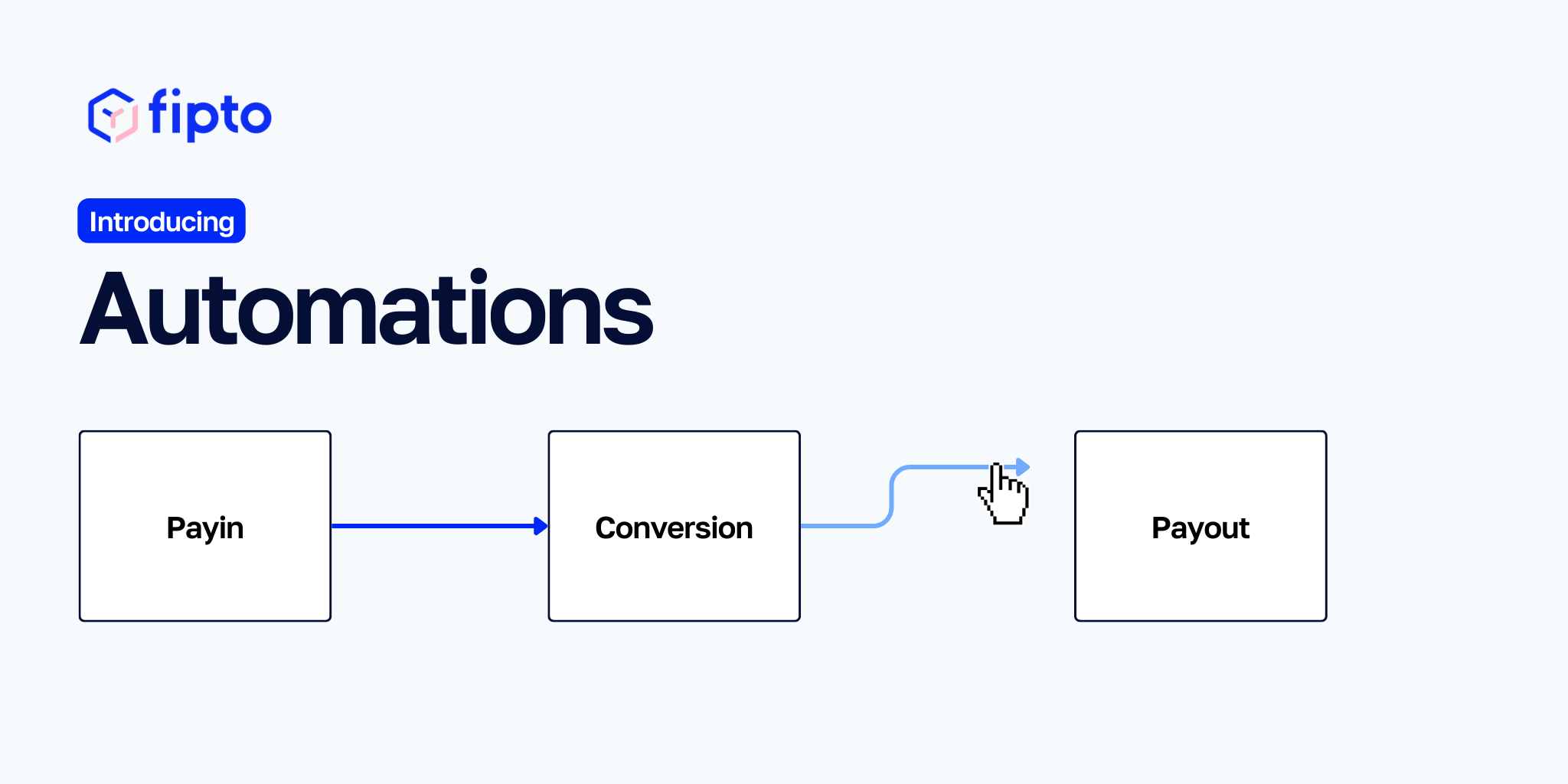
Chain two rules together and a complete payin → convert → payout sequence runs end-to-end — without anyone touching it.
Admins access the new Automations section in the platform navigation. They select a wallet, define the trigger, choose the action, set the amount logic, and confirm with 2FA. That is the entire setup.
Treasurers can view all active rules from the same section — read-only access, full visibility. One rule per wallet, keeping things clean and auditable.
Automation without a safety net is not automation — it is a liability. We have built Automations with this in mind.
If a rule fails to execute for any reason, two things happen immediately: the client receives an email notification, and our operations team is alerted internally. Fipto then handles the manual fallback. No transaction goes unresolved. No flow is silently missed.
The system runs autonomously. It never runs without accountability.
Automations is designed for clients who run predictable, recurring treasury flows — and who currently have to log in every time to action them.
PSPs managing daily settlement cycles. Finance teams running recurring FX conversions. Operations teams orchestrating multi-step fund flows. For these users, Automations does not change how their treasury works. It simply removes the part that required a person.
Automations is available as a paid add-on, activated at the account level by your Account Manager.
Existing Fipto clients: contact your Account Manager to enable the feature. Once active, any Administrator on your account can configure rules from the Automations section in the main navigation.
Not yet using Fipto? Request a demo — we will walk you through what Automations, and the rest of the platform, can do for your operations.

.png)